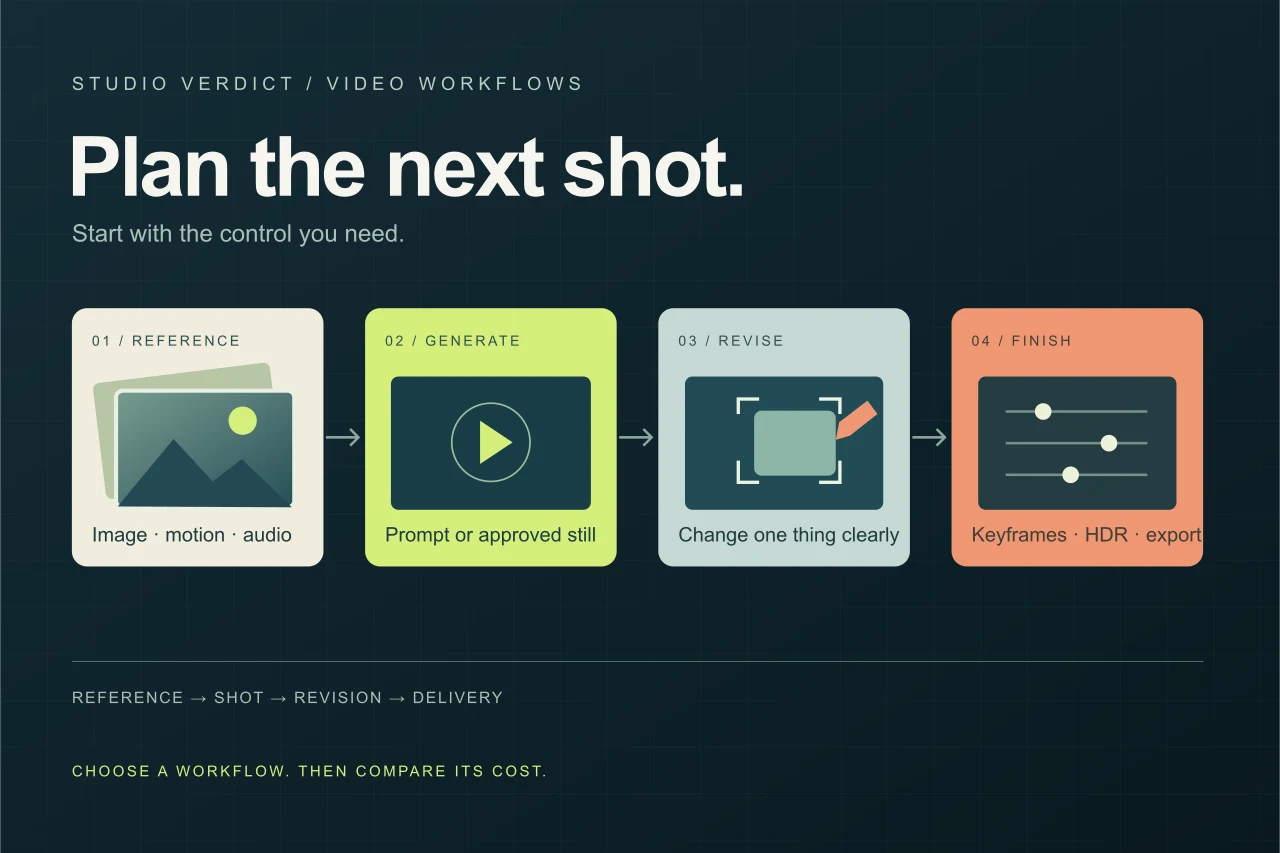
Match the tool to one concrete shot before buying credits. Prepare the reference, motion brief, duration, and acceptance criteria first. If the still image is already wrong, fix it before animating. Compare the cost of a usable result, including rejected attempts, rather than the cheapest advertised second.
Compare by the shot you need
| Your task | Model to shortlist | Documented reason | API price checkpoint |
|---|---|---|---|
| Combine visual and audio references | MiniMax H3 | Text, image, video, and audio context; native stereo output | MiniMax: $0.08/s at 768p; $0.13/s at 2K |
| Plan a longer continuous shot | Seedance 2.5 | Up to 30 seconds; multimodal references | Kie.ai provider: $0.315/s at 720p without video input |
| Revise a short clip conversationally | Gemini Omni 1.1 Flash | Conversational editing, extension, and interpolation | Google: approximately $0.10/s of 720p output, plus input charges |
| Generate from a prompt or approved still | Runway Gen-4.5 | Text-to-video and image-to-video on Runway’s API | Runway: $0.12/s |
| Direct keyframes or finish for post-production | Luma Ray3.2 | Up to 16 keyframes; HDR and EXR workflows | Luma: $0.30 for 5s at 720p SDR; $1.20 at 1080p SDR |
This is a research-based selection guide using official documentation, provider pricing, and public benchmark methodology, not a Studio Verdict generation test. Prices describe the listed API configurations, not equal-quality outputs or consumer subscriptions.
Choose the workflow before the model
Start with what you already have: a prompt, an approved image, or usable footage. Then identify the part that needs control. A product shot may need stable packaging; an animated character may need consistent clothing; an existing performance may need a different background without changing the action.
Keep three labels separate. The model generates or edits the video. The product is the workspace you use. The provider serves a particular endpoint and sets its price. Buying access through an aggregator does not mean you are paying the developer’s direct rate.
For mixed references: shortlist MiniMax H3
H3 is relevant when a brief combines a character image, motion reference, and audio. MiniMax documents multimodal inputs and video output with stereo sound, up to 15 seconds at 2K. That makes it a sensible candidate for reference-led product or character clips, without establishing how reliably it will preserve your particular assets. Official capabilities and demos.
Budget for references as well as output. Direct pricing lists 768p output at $0.08 per second and 2K at $0.13. Input video is also billed; the first five input images are free, with additional images charged separately. MiniMax API pricing.
For longer shots: consider Seedance 2.5
Seedance 2.5 is worth investigating when a brief genuinely needs more than a short insert. Kie.ai documents up to 30 seconds, multimodal references, local editing, and a draft option. These are provider-documented capabilities, not a Studio Verdict endorsement of output quality. Kie.ai’s Seedance 2.5 listing.
Watch the billing formula. Kie.ai lists 720p at $0.315 per output second without video input. With video input, the listed rate drops to $0.190, but applies to both uploaded and generated duration. A lower headline rate can therefore produce a higher bill. The provider marks these prices as beta.
For iterative revisions: consider Gemini Omni 1.1 Flash
Google documents conversational video generation and editing through its Interactions API, plus extension, upscaling, and interpolation. The stable model is gemini-omni-1.1-flash; its documented output range is 3–10 seconds. Short clips that need repeated, specific revisions are the relevant use case. Google model documentation.
Google’s standard output rate works out to approximately $0.10 per second at 720p, with inputs billed separately. Do not carry that estimate across every resolution. Google API pricing.
For prompt-to-shot generation: shortlist Runway Gen-4.5
Gen-4.5 supports text-to-video and image-to-video. It is a straightforward candidate when the job starts with an approved still or a written shot description rather than an existing clip needing local edits. Runway lists dedicated editing models separately, so check the actual model selected inside the product. Runway model catalog.
The developer API charges 12 credits per second, with credits priced at $0.01 each: $0.60 for five generated seconds before applicable tax or extras. Runway API pricing.
For precise control and finishing: consider Luma Ray3.2
Ray3.2’s documented controls include up to 16 keyframes, video-to-video workflows up to 20 seconds, and HDR generation with 16-bit EXR export. Those features matter when timing, footage transformation, or downstream compositing drives the choice. Luma API capabilities and pricing.
Check duration pricing carefully. Luma lists 720p text/image-to-video SDR at $0.30 for five seconds and $0.90 for ten seconds. Doubling duration does not simply double the price. HDR and finishing requirements need their own budget.
Use public rankings to narrow the field
Artificial Analysis separates generation from editing, and audio-enabled outputs from silent ones. Its image-to-video benchmark uses reference images and human preference comparisons. Consult the matching board, not an unrelated overall ranking. Image-to-video leaderboard · Methodology.
Plan one usable shot
Match the tool to one concrete shot before buying credits. Prepare the reference, motion brief, duration, and acceptance criteria first. If the still image is already wrong, fix it before animating. Compare the cost of a usable result, including rejected attempts, rather than the cheapest advertised second.
Start with our practical image-to-video workflow if you already have an approved still. For sound, use the scene-and-audio guide. Build the full budget with cost per usable video.
Method and price scope
Source pages checked October 23, 2026. All prices are USD for the API configurations shown. MiniMax, Google, Runway and Luma prices are developer-direct; the Seedance 2.5 quote is from Kie.ai, a service provider. Input material, resolution, duration and finishing choices can change the bill. No video generations were commissioned for this guide.
The cover is an editorial workflow diagram, not a generated video frame.
Before you choose a tool
- Define the output you need before comparing plans.
- Save the inputs, settings, date, and rejected results.
- Check current provider terms and export restrictions.
- Include correction time in your comparison.
Sources
Official sources reviewed 2026-10-23.